
Azure MCP Tools Go Native in Visual Studio 2022—Copilot Just Got Real Azure Superpowers
TL;DR
As of April 15, 2026, Azure MCP (Model Context Protocol) tools now ship built into Visual Studio 2022—no separate extension required. If you use GitHub Copilot, you can manage Azure resources, deploy apps, and troubleshoot production issues directly from Copilot Chat. Fewer installs, fewer mismatches, more shipping. (devblogs.microsoft.com)
What actually changed (and why you should care)
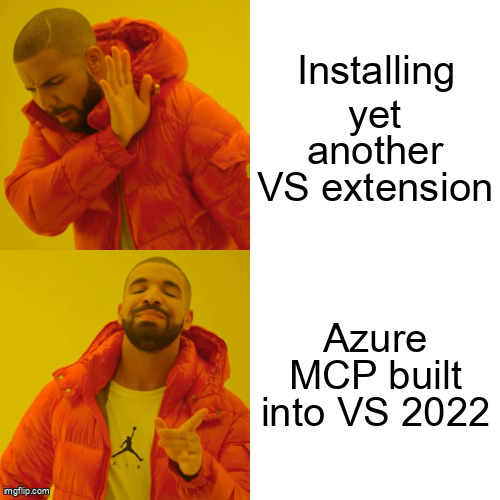
Until this week, using Azure tools through Copilot in Visual Studio meant installing and maintaining the GitHub Copilot for Azure extension. That’s now gone.
With Visual Studio 2022 17.14.30+, the Azure MCP Server ships as part of the Azure development workload. It’s disabled by default, but once enabled, it sticks across sessions and updates with Visual Studio itself. (devblogs.microsoft.com)
Why this matters to engineers shipping on .NET and Azure:
- ✅ Zero extension drift – MCP updates arrive with normal VS updates
- ✅ Lower setup friction – one less VSIX, one less restart
- ✅ Agent-grade workflows – Copilot can act, not just chat
In short: Copilot stopped being “helpful autocomplete” and started being a first-class Azure operator.
What you can do with Azure MCP (today)
Once enabled, Copilot Chat gains access to 230+ tools across 45 Azure services, exposed through MCP. Copilot automatically selects tools based on your prompt.
Common, very practical scenarios include: (devblogs.microsoft.com)
- Design – “Which Azure services fit a .NET 10 API with bursty traffic?”
- Deploy – “Provision this app to Azure Container Apps in my dev subscription”
- Operate – “Check App Service logs for the last failed deployment”
- Troubleshoot – “Why is my Function App timing out in West US?”
And yes—this works inside Visual Studio, not a browser tab, not a CLI detour.
Enabling Azure MCP in Visual Studio (2 minutes, tops)
If you already have the Azure development workload installed, you’re almost done.
- Update Visual Studio 2022 to 17.14.30 or later
- Open GitHub Copilot Chat
- Enable Azure MCP tools when prompted (one-time)
That’s it. No manual MCP server install, no port juggling. (devblogs.microsoft.com)
Behind the scenes, Visual Studio hosts the MCP server and authenticates using your existing Azure credentials (VS, Azure CLI, or Azure Developer CLI). (learn.microsoft.com)
Under the hood: why MCP is the key abstraction
MCP (Model Context Protocol) is an open standard that lets AI agents safely call external tools—think HTTP for AI actions.
In this setup:
- Copilot = the reasoning layer
- Azure MCP Server = the tool gateway
- Azure services = authenticated, RBAC-scoped targets
For .NET teams, this is important because MCP configs can live in source control (.mcp.json) or be scoped per-solution, making agent behavior repeatable and auditable. (github.com)
That’s a big deal for enterprise teams who don’t want “cowboy AI” touching production.
Cost, latency, and risk considerations
- Cost: No separate Azure MCP pricing. You pay for Azure resources and your existing GitHub Copilot subscription.
- Latency: MCP calls are local-to-Azure control plane hops—fast enough for interactive workflows, not bulk automation.
- Security: MCP respects your Azure RBAC and uses your signed-in identity; it cannot “see” resources you can’t. (learn.microsoft.com)
Translation: this is safe for daily engineering work, not a rogue bot with subscription-owner rights.
What to do next (practical takeaways)
- ✅ Enable Azure MCP in Visual Studio this week
- ✅ Try one real task (deploy, log query, or resource inspection)
- ✅ Check
.mcp.jsoninto a repo if you want consistent agent behavior across the team - ✅ Start treating Copilot like a junior SRE who never gets tired
Further reading
- https://devblogs.microsoft.com/visualstudio/azure-mcp-tools-now-ship-built-into-visual-studio-2022-no-extension-required/
- https://learn.microsoft.com/azure/developer/azure-mcp-server/get-started/tools/visual-studio
- https://learn.microsoft.com/azure/developer/azure-mcp-server/get-started
- https://github.com/MicrosoftDocs/azure-dev-docs/blob/main/articles/azure-mcp-server/get-started/tools/visual-studio.md
If you’ve been waiting for Copilot to move from suggesting to doing, this is the release.