
The Microsoft Foundry Toolkit for VS Code Just Hit GA—and Your Azure AI Workflow Got Shorter
TL;DR
Microsoft quietly moved a big piece of the Azure AI developer experience from “nice preview” to General Availability: the Microsoft Foundry Toolkit for VS Code. It replaces the old AI Toolkit extension with a production‑ready way to explore models, build agents, debug them deeply, and deploy straight into Azure’s Foundry Agent Service—without duct-taping scripts together.
What actually shipped (and why this is GA‑worthy)
As of April 19–21, 2026, the extension formerly known as AI Toolkit is now Microsoft Foundry Toolkit for VS Code, and it’s GA. This isn’t a rename-for-marketing exercise; several things changed that matter if you ship on Azure:
- Curated access to 100+ models (OpenAI, MAI, Phi, third‑party) from inside VS Code
- Low/no‑code Agent Builder for wiring prompts, tools, memory, and policies
- Agent Inspector for step‑by‑step debugging (plans, tool calls, model responses)
- One‑click deployment to the Microsoft Foundry Agent Service
- Tight alignment with the Responses API and governed Azure networking
In short: model playground + agent orchestration + deployment now live in your editor, not scattered across portals and YAML files. (azureweekly.info)
Why this matters to .NET and Azure engineers
If you’ve been building AI features the “traditional” way, your workflow probably looked like this:
- Prototype prompts in a web playground
- Re‑implement them in C#
- Hand‑roll agent orchestration
- Discover in prod that latency, auth, or networking assumptions were wrong
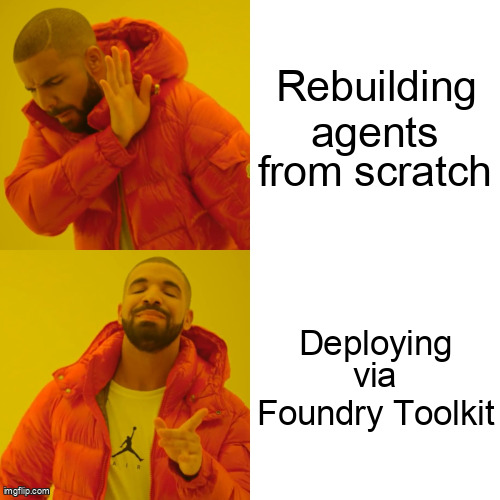
The Foundry Toolkit collapses steps 1–3—and de‑risks step 4.
Practical implications
1. Faster inner loop
You can iterate on prompts, tools, and agent behavior without leaving VS Code. The Agent Inspector shows exactly why your agent did something dumb (and it will).
2. Fewer glue libraries
The toolkit targets the same runtime as the Foundry Agent Service, so you’re not debugging mismatches between “local agent” and “cloud agent” behavior.
3. Azure-native by default
Private networking, Entra ID auth, and region placement aren’t afterthoughts—they’re first‑class paths. That’s a big deal for regulated workloads.
How it fits with the April 2026 Azure SDK for .NET
This GA lines up neatly with the April 2026 Azure SDK for .NET release, which added stable and beta packages for AI Foundry Core and persistent agents. That’s the backend your deployed agents actually run on. (azure.github.io)
A typical flow now looks like:
- Design & debug the agent in VS Code (Foundry Toolkit)
- Deploy to Foundry Agent Service
- Call the agent from your .NET service using the updated Azure SDK
var client = new FoundryAgentClient(
    new Uri(endpoint),
    new DefaultAzureCredential());

var response = await client.InvokeAsync(
    agentId: "support-agent",
    input: "Summarize this incident ticket");
No bespoke orchestration layer. No “works locally” surprises.
Cost and latency considerations (the unglamorous bits)
- Model costs are unchanged—you still pay per model/token as usual
- Agent overhead is lower than DIY orchestration because planning, tool calls, and state management run in a managed service
- Latency improves mainly because fewer hops leave Azure’s network boundary
The key win isn’t raw price; it’s predictability. You can finally estimate cost and performance before a launch review meeting.
When you should (and shouldn’t) adopt it
Adopt now if:
- You’re building agent‑style workflows (tools, memory, multi‑step tasks)
- You deploy to Azure and care about networking/governance
- Your team lives in VS Code already (be honest—you do)
Hold off if:
- You only need single‑prompt inference
- You’re fully vendor‑agnostic and avoiding platform‑specific tooling
Bottom line
The Foundry Toolkit GA is Microsoft saying: “Stop assembling AI infrastructure by hand.”
For .NET and Azure teams, this is the shortest path yet from idea → agent → production—without sacrificing governance or sleep.
Further reading
- https://azureweekly.info/issue-559
- https://devblogs.microsoft.com/foundry/
- https://azure.github.io/azure-sdk/releases/2026-04/dotnet.html
- https://techcommunity.microsoft.com/blog/microsoftmissioncriticalblog/getting-started-with-github-copilot-sdk/4510059