
Azure AI Developer Tools Finally Feel Like a First‑Class SDK (and Not a Portal Scavenger Hunt)
TL;DR
Microsoft quietly—but meaningfully—pulled together Azure AI developer tools into a cohesive, developer‑first toolchain that spans IDEs, terminals, and CI/CD. For .NET and Azure engineers, this reduces friction in provisioning, wiring, and operating AI services—especially when working with agents and MCP‑based workflows—at the cost of learning a few new abstractions.
The focused update: Azure AI developer tools land as a unified workflow
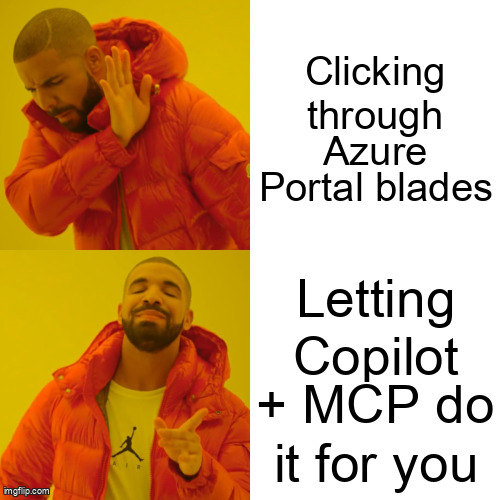
In the last week of April 2026, Microsoft updated its Azure AI developer tools overview on Learn, consolidating guidance around GitHub Copilot for Azure, the Azure MCP Server, and Azure Skills into a single, opinionated workflow for building AI apps on Azure. While not a flashy keynote announcement, this is the clearest signal yet that Microsoft wants AI development on Azure to feel like software development, not portal tourism. (learn.microsoft.com)
This matters because most pain points engineers report aren’t about model quality—they’re about setup latency, auth sprawl, and glue code.
What actually changed (and why you should care)
1) MCP becomes the control plane you don’t have to invent
The Azure MCP Server now exposes 270+ tools across 50+ Azure services behind a Model Context Protocol endpoint. That means your agent (or Copilot) can do real work—create resources, query logs, rotate keys—without you hand‑rolling SDK wrappers or bespoke automation. (learn.microsoft.com)
Implication:
- Latency: Fewer round‑trips between your app, scripts, and the Azure portal.
- Cost: Less time spent debugging infra drift (the most expensive cloud resource is still “engineer hours”).
- Security: Auth flows are standardized through Microsoft Entra ID instead of custom tokens sprinkled everywhere.
2) GitHub Copilot for Azure grows up
Copilot for Azure isn’t just autocomplete anymore. In Visual Studio and VS Code, it now surfaces Azure‑aware actions (deploy, configure, diagnose) directly in context, backed by the same MCP tooling. (learn.microsoft.com)
For .NET teams, this pairs naturally with modern abstractions like Microsoft.Extensions.AI, keeping infra concerns adjacent to application code instead of in a separate mental silo. (devblogs.microsoft.com)
3) Azure Skills = guardrails, not magic
Azure Skills are essentially curated, end‑to‑end workflows (think “securely deploy an AI agent with logging and evals”) that bake in best practices. They don’t remove the need to understand Azure—but they do prevent the most common foot‑guns. (learn.microsoft.com)
Translation: fewer “it worked in dev” surprises when your AI app hits staging.
A concrete .NET‑centric flow
Here’s what a streamlined setup can look like today:
- Develop your AI app in .NET using
Microsoft.Extensions.AIfor model‑agnostic calls. - Invoke Azure resources (Search, OpenAI, Storage) via the Azure MCP Server instead of direct SDK calls.
- Operate the app using Copilot for Azure to inspect logs, scale resources, or rotate secrets—without leaving your IDE.
This lines up with recent Foundry guidance on agent operations and private networking, which increasingly assumes MCP‑style tooling as the default integration surface. (techcommunity.microsoft.com)
Trade‑offs to be aware of
- Learning curve: MCP and Skills introduce new concepts; teams should budget onboarding time.
- Abstraction risk: Power users may still drop down to raw SDKs for edge cases.
- Preview vibes: Some workflows feel “early,” so production teams should validate behavior under load.
None of these are deal‑breakers—but they’re real.
Bottom line
This update doesn’t change how models reason—but it changes how engineers ship. Azure AI development is moving away from bespoke scripts and portal clicks toward repeatable, tool‑driven workflows that fit naturally into .NET and Azure engineering practices. That’s not hype; that’s plumbing—and good plumbing is what lets teams scale.
Further reading
- https://learn.microsoft.com/en-us/azure/developer/ai-developer-tools/overview
- https://devblogs.microsoft.com/dotnet/dotnet-ai-essentials-the-core-building-blocks-explained/
- https://techcommunity.microsoft.com/category/azure-ai-foundry/blog/azure-ai-foundry-blog