
GitHub Copilot Cloud Agents Grow a REST API (and Why That Matters for .NET Shops)
TL;DR: As of May 13, 2026, GitHub Copilot’s cloud agents can be started and managed via a public REST API. This turns Copilot from an IDE-only helper into an automation primitive you can call from CI, internal tools, and Azure-hosted services—without re‑implementing agent orchestration yourself. (github.blog)
What actually shipped (and when)
On May 13, 2026, GitHub announced that you can start Copilot cloud agent tasks via a REST API. This isn’t a cosmetic endpoint—it exposes the same agent runtime behind Copilot CLI and the Copilot SDK, including planning, tool invocation, and long‑running task execution. (github.blog)
If you’ve been following the Copilot SDK public preview, this is the missing piece that makes Copilot agents first‑class citizens in backend workflows, not just editor extensions. (github.com)
Why .NET and Azure engineers should care
1. Copilot is now callable infrastructure
You can trigger an agent from:
- An Azure Function responding to a webhook
- A GitHub Action step that needs reasoning, not regex
- An internal .NET service that delegates code changes or repo analysis
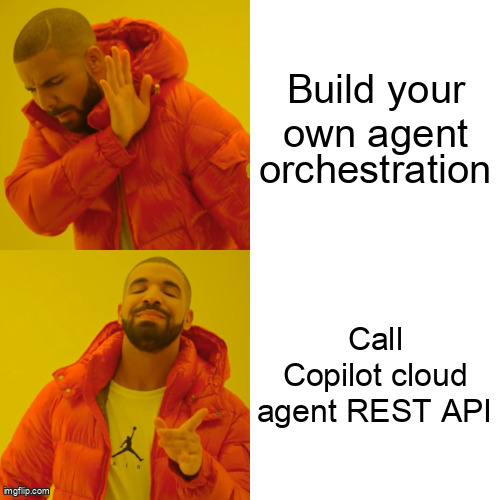
No prompt‑loop glue code. No homegrown planners. Copilot handles it.
2. CI/CD just got… smarter (and lazier)
Common early patterns teams are experimenting with:
- “Open a PR that fixes failing tests and explain why”
- “Scan this repo for deprecated APIs and file issues”
- “Refactor this project to the new SDK surface”
Because the agent runs server-side, your build agents stay thin, and secrets don’t leak into local scripts. (github.blog)
How it fits with the Copilot SDK
Think of the ecosystem like this:
- Copilot SDK: Embed agent behavior inside your app (supports .NET, Java, TS, Python, Go) (github.com)
- Copilot REST API (new): Trigger and manage agents from the outside
For .NET teams already evaluating the SDK, the REST API means you can:
- Prototype with raw HTTP calls
- Graduate to the SDK when you want tighter integration and typing
A concrete .NET example
Trigger a Copilot agent from an Azure Function (simplified):
using System.Net.Http.Headers;

var client = new HttpClient();
client.DefaultRequestHeaders.Authorization =
    new AuthenticationHeaderValue("Bearer", githubToken);

var payload = new
{
    task = "analyze-repo",
    prompt = "Find usages of deprecated Azure SDKs and suggest fixes",
    repository = "org/sample-repo"
};

var response = await client.PostAsJsonAsync(
    "https://api.github.com/copilot/agents/tasks",
    payload);

response.EnsureSuccessStatusCode();
You then poll or subscribe to task status events, depending on how you wire it into your pipeline.
Cost, latency, and operational realities
- Billing: Copilot cloud agents are subject to usage-based billing surfaced in GitHub’s usage metrics APIs. Expect these calls to count similarly to other agent workloads. (github.blog)
- Latency: These are not sub‑second calls. Treat them like background jobs or durable workflows.
- Governance: Enterprise features—data residency, managed plugins, secrets—apply here, which matters for regulated Azure tenants. (github.blog)
In other words: great for automation, bad for synchronous request/response paths.
How this changes architectural choices
Before this release, teams faced a fork:
- DIY agents (LangGraph, Semantic Kernel, etc.)
- Copilot in the IDE only
Now there’s a third option: delegate reasoning-heavy repo work to Copilot, while your .NET services focus on orchestration and policy. It’s not a replacement for in‑app AI—but it’s a powerful complement.
What to try this week
- Pick one repetitive repo task your team already scripts.
- Re‑implement it as a Copilot cloud agent task.
- Trigger it from a GitHub Action or Azure Function.
- Compare effort vs. your existing automation.
Worst case: you learn where Copilot doesn’t fit. Best case: you delete a few thousand lines of “agent glue.”
Further reading
- https://github.blog/changelog/label/copilot/
- https://github.com/github/copilot-sdk
- https://github.blog/changelog/2026-05-13-start-copilot-cloud-agent-tasks-via-the-rest-api/