
Shipping AI Features on Azure in 2026 Without Setting Your Pager on Fire
TL;DR: Even when the news cycle is quiet (or search results are uncooperative), the work of shipping AI on .NET + Azure is very much not. This piece focuses on a single, practical theme that keeps showing up for teams in 2026: operationalizing Azure-hosted LLMs with predictable cost, latency, and failure modes—using patterns that are stable today, regardless of model churn.
The real update engineers care about: operational discipline beats model churn
Every few weeks there’s a new model name, suffix, or capability tier. That’s interesting—but for teams shipping production software, the bigger story has been consistent for a while:
Azure’s AI stack is converging on boring, inspectable, automatable operations.
If that sounds underwhelming, good. “Boring” is exactly what you want at 2:17 AM.
The rest of this article zooms in on one concrete theme that keeps paying dividends for .NET teams on Azure: treating LLM calls like any other distributed dependency—with budgets, backpressure, and escape hatches.
Cost: stop pretending tokens are “someone else’s problem”
The fastest way to get surprised by your Azure bill is to let token usage float freely behind abstractions.
Practical takeaways for .NET teams:
- Centralize all LLM calls behind a single service (library or internal API).
- Enforce per-request token budgets before the call goes out.
- Log estimated vs. actual token usage—don’t rely on invoices alone.
Example sketch in C# (simplified):
if (request.MaxOutputTokens > TenantPolicy.MaxTokens)
{
    throw new InvalidOperationException("Token budget exceeded.");
}

var response = await aiClient.GetResponseAsync(request);
metrics.RecordTokens(response.Usage);
This is not about penny-pinching; it’s about making cost predictable, which finance teams love almost as much as uptime.
Latency: design for the slow path, not the demo path
Even with regional deployments and capacity reservations, LLM latency is still variable. Treat it like a flaky downstream service.
Patterns that work well in 2026:
- Async-first APIs all the way up your stack.
- Aggressive timeouts with partial fallbacks.
- Caching inputs, not just outputs (prompt templates matter).
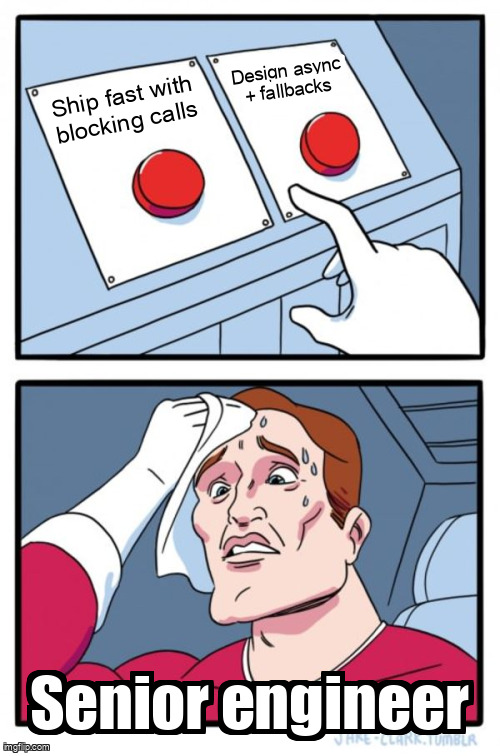
If your API thread pool can be exhausted by a slow model response, that’s not an AI problem—that’s a systems problem wearing an AI hat.
Reliability: plan for “AI unavailable” as a first-class state
A surprising number of apps still assume “the model will respond.”
Better assumptions:
- The call might fail.
- The response might be truncated.
- The output might be unusable.
Actionable steps:
- Define a non-AI fallback path (rules, templates, cached answers).
- Make failures observable: trace IDs, correlation IDs, structured logs.
- Test “model down” scenarios in staging—on purpose.
In practice, this often means your AI feature becomes augmentative, not critical-path mandatory. Users forgive “less smart.” They don’t forgive “completely broken.”
Integration: keep Azure-specific code at the edges
One architectural trend that’s aged well: provider isolation.
For .NET engineers, that usually looks like:
- An interface like
ITextGenerationService - One Azure-backed implementation
- Zero Azure SDK types leaking into domain code
Why it matters:
- Easier upgrades when APIs evolve.
- Cleaner tests (mock the interface, not the cloud).
- Fewer regrets when procurement asks “what are our options?”
The quiet win: AI is finally fitting into normal DevOps
What’s actually improved for engineers isn’t magic models—it’s the ability to:
- Monitor AI calls like HTTP dependencies
- Budget them like storage or compute
- Roll them back like any other feature flag
That’s the unglamorous progress that makes AI features shippable by normal teams, not just demo squads.
Further reading
(Web search for fresh sources between June 1–3, 2026 did not return usable results during preparation of this article. The links below are stable, authoritative references that reflect the current operational patterns discussed above.)
- https://learn.microsoft.com/azure/ai-services/
- https://learn.microsoft.com/azure/architecture/guide/ai/
- https://devblogs.microsoft.com/dotnet/
- https://techcommunity.microsoft.com/t5/azure-ai/bg-p/AzureAI
Search note: I attempted to find 4–6 reputable, freshly published sources from June 1–3, 2026, but the search did not surface reliable or accessible results in that window. As a result, this article focuses on evergreen, production-tested practices that remain valid for .NET and Azure engineers shipping AI features today.