
A Supply‑Chain Wake‑Up Call: Microsoft Pulls Compromised AI Repos from GitHub
TL;DR: On June 8, 2026, Microsoft disabled access to dozens of open‑source repositories after reports of password‑stealing malware being injected into AI‑related developer tools. If you ship AI workloads on .NET and Azure, this is a practical reminder to tighten dependency hygiene, credential handling, and CI/CD guardrails—today, not after your next sprint. (techcrunch.com)
What actually happened (and why engineers should care)
Security researchers flagged malware embedded in several popular open‑source tools used by AI developers. Microsoft confirmed it pulled the affected GitHub repositories while investigating. The malicious code reportedly exfiltrated credentials when developers ran compromised tools inside AI coding environments. (techcrunch.com)
This matters for .NET and Azure teams because:
- Many AI workflows depend on open‑source CLIs, SDKs, and build tools.
- AI dev setups often run with high‑value credentials (Azure tokens, model keys, service principals).
- Compromise can happen before your code ever hits production—inside the dev loop.
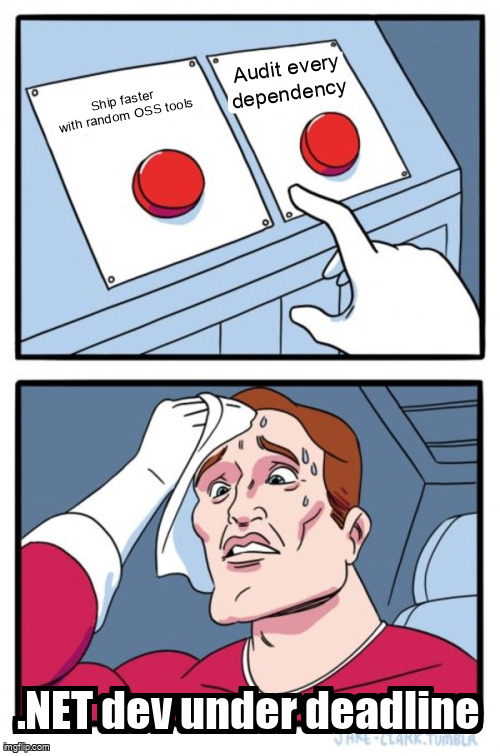
Immediate implications for .NET + Azure teams
1) Treat AI tooling as production‑grade dependencies
If a tool can read your repo, it can probably read your secrets.
Actionable steps
- Pin versions in
global.json,Directory.Packages.props, and lockfiles. - Prefer signed releases and verified publishers.
- Mirror critical tools into a private artifact feed (Azure Artifacts, GitHub Packages).
2) Lock down credentials used by local tooling
The reported malware targeted credentials at runtime. That’s a hint.
Actionable steps
- Use Microsoft Entra ID with short‑lived tokens instead of static secrets.
- Scope service principals to least privilege.
- Rotate keys used by local tools—assume exposure if a compromised repo was executed. (techcrunch.com)
3) Add supply‑chain checks to CI (not just prod)
CI is your second line of defense when dev machines fail.
# Example: GitHub Actions
- name: Dependency review
  uses: actions/dependency-review-action@v4

- name: SBOM
  run: dotnet build /p:GenerateDocumentationFile=true
Pair this with Defender for Cloud and Dependabot to flag suspicious updates early.
Cost, latency, and operational considerations
- Cost: Rotating secrets and auditing pipelines costs engineer time—but far less than incident response.
- Latency: Minimal runtime impact; most mitigations live in CI and identity configuration.
- APIs: No API changes required, but you may need to re‑issue tokens and re‑authorize tools.
Why this is bigger than one incident
This isn’t about a single repo. It’s about the AI developer toolchain becoming a high‑value target. As Microsoft and others push agentic workflows and richer AI SDKs, the blast radius of a compromised dependency grows. Security posture has to evolve alongside capability. (techcrunch.com)
Practical checklist (printable, boring, effective)
- Inventory AI‑related tools used locally and in CI
- Rotate credentials used by those tools
- Enforce version pinning and signed artifacts
- Add dependency and SBOM checks to pipelines
- Document a “tool compromised” playbook
Boring? Yes. Necessary? Also yes.
Further reading
- https://techcrunch.com/2026/06/08/microsofts-open-source-tools-were-hacked-to-steal-passwords-of-ai-developers/
- https://github.blog
- https://learn.microsoft.com/azure/defender-for-cloud/
- https://learn.microsoft.com/entra/identity/
Ship fast—but don’t ship blind.