
Microsoft Agent Framework Hits 1.0 — and Your .NET Agents Just Got M365 Superpowers
TL;DR
Two production-ready milestones landed this week that every .NET agent builder should know about: Microsoft Agent Framework (MAF) 1.0 ships a stable GitHub Copilot SDK integration for .NET and Python, and the Work IQ API goes GA today (June 16, 2026) — giving your agents permission-aware, consumption-billed access to the full Microsoft 365 data graph via REST, MCP, and A2A. If you’ve been waiting for “enterprise-grade” to stop being a euphemism, the wait is over.
What Is Microsoft Agent Framework, and Why Does 1.0 Matter?
Microsoft Agent Framework (MAF) is an open-source SDK and runtime for building AI agents and multi-agent workflows, with the same concepts and APIs across .NET and Python. It gives you a clean programming model — chat clients, tools, MCP integrations, context providers, middleware, and multi-step workflows — so you can focus on agent logic instead of plumbing. The big news for the 1.0 milestone (which landed in April): when MAF was introduced last October, the goal was to unify the enterprise-ready foundations of Semantic Kernel with the innovative orchestrations of AutoGen into a single, open-source SDK. After hitting Release Candidate in February and locking the feature surface, Agent Framework 1.0 is ready for production. That means no more choosing between Semantic Kernel and AutoGen. You get both, merged, with a stable API surface. Your Build 2026 homework just got shorter.
The GitHub Copilot SDK Integration: Copilot as a First-Class Agent Backend
At Build 2026, the MAF team pushed the integration further.
GitHub Copilot SDK integration reached 1.0 support in Agent Framework for .NET and Python.
What does that unlock in practice?
This integration brings together the Agent Framework’s consistent agent abstraction with GitHub Copilot’s capabilities, including function calling, streaming responses, multi-turn conversations, shell command execution, file operations, URL fetching, and Model Context Protocol (MCP) server integration — all available in both .NET and Python.
The key value proposition is composability:
GitHub Copilot agents implement the same AIAgent (.NET) / BaseAgent (Python) interface as every other agent type in the framework. You can swap providers or combine them without restructuring your code. You can also compose GitHub Copilot agents with other agents (Azure OpenAI, OpenAI, Anthropic, and more) in sequential, concurrent, handoff, and group chat patterns.
Minimal .NET Wiring
Getting started in C# requires a single NuGet package and a few lines:
dotnet add package Microsoft.Agents.AI.GitHub.Copilot
using GitHub.Copilot.SDK;
using Microsoft.Agents.AI;

await using CopilotClient copilotClient = new();
await copilotClient.StartAsync();

AIAgent agent = copilotClient.AsAIAgent();
Console.WriteLine(await agent.RunAsync("Summarize open PRs in our repo"));
Need to add a custom tool? Wire it in via AIFunctionFactory:
AIFunction ticketTool = AIFunctionFactory.Create(
    (string id) => $"Ticket {id}: In Progress",
    "GetTicketStatus",
    "Returns the current status of a support ticket.");

AIAgent agent = copilotClient.AsAIAgent(
    tools: [ticketTool],
    instructions: "You are a support triage agent.");
GitHub Copilot agents require the GitHub Copilot CLI to be installed and authenticated. For security, it is recommended to run agents with shell or file permissions in a containerized environment (Docker/Dev Container). You can also attach MCP servers — including remote HTTP ones — directly in the session config. The Copilot agent is a standard MAF agent, so it supports tools, instructions, streaming, sessions, MCP servers, and built-in OpenTelemetry observability. —
Deploying to Production: Foundry Hosted Agents
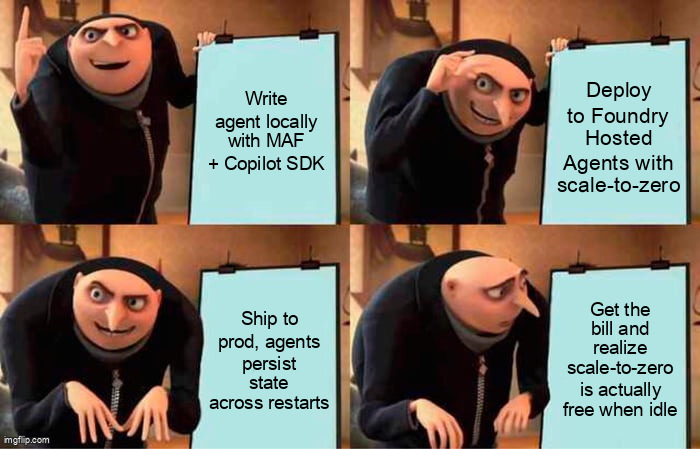
Local dev is easy. Production is where things used to get messy. Hosted Agents in Foundry Agent Service is the easiest way to give that agent a production home with your own code, packaged as a container and deployed onto Foundry-managed infrastructure, with built-in identity, automatic scaling, managed session state, observability, and versioning. A few specifics worth noting for cost-conscious teams:
-
Scale to zero — pay nothing while the agent is idle; it scales back up on the next request. Resume with filesystem intact — files, disk state, and session identity persist across scale-to-zero, so the agent restarts exactly where it left off.
-
The runtime is framework-agnostic, so agents built with Microsoft Agent Framework, GitHub Copilot SDK, LangGraph, or other SDKs can be deployed without rewrites.
Work IQ API: GA Today — Your Agents Can Now Read Your Inbox (With Permission)
Work IQ API endpoints are generally available June 16, including A2A, a redesigned remote MCP server, and a REST API. Usage is independent of Microsoft 365 Copilot licensing and available on a consumption basis. This is a significant unlock. Work IQ brings workplace intelligence to agents by building a semantic understanding across email, calendar, meetings, chats, files, people, collaboration patterns, and line-of-business systems. The APIs include four domains: Chat, Context, Tools, and Workspaces. For agents built on MAF or Azure AI Foundry, this means you can ground your agents in live M365 context without building your own Graph API plumbing. All of the IQs are exposed as MCP servers — an agent-facing or self-describing API with authentication layers and capabilities built in.
Billing: What You Actually Need to Know
Work IQ API is billed through a consumption-based model using Copilot Credits, a unified consumption currency that also covers Microsoft Copilot Studio and other Microsoft AI services. Copilot Credit balances can now be applied to Work IQ API usage. There’s no separate Work IQ API subscription, SKU, or per-user license. Before Work IQ usage can begin at GA on June 16, an administrator must enable consumptive billing. Partners should advise customers to use the Microsoft Admin Center to set up the appropriate payment method, turn on access for relevant services, and configure controls such as access policies, limits, and alerts before deployment. In other words: don’t skip the admin setup step, or your agents will silently fail to call the API. Consider this your “read the docs before prod” warning.
Governance Is Built In
Admins gain a unified view of all Work IQ MCP tools and other MCP servers through Microsoft 365 admin center. This centralized perspective allows them to oversee, manage, and enforce governance across the entire tools landscape. If admins block a Work IQ MCP tool or MCP server, it blocks access for every user and every agent. Permissions always take precedence over configuration, so IT admins have ultimate authority to maintain security and compliance. For enterprise .NET teams used to fighting compliance teams over AI features, this is the governance story that finally makes the conversation easier.
Also Worth Your Attention from Build 2026
- Agent Harness made production patterns first-class, including context compaction, instruction merging, todo tracking, and extensible providers. - CodeAct support (via Hyperlight) was introduced to reduce orchestration overhead by collapsing many tool calls into fewer model turns. - Multi-agent Handoff orchestration reached 1.0 with explicit topology and guardrails. - New capabilities are coming to GitHub Copilot modernization this summer, including migrating Web Forms applications to Blazor and adding Aspire to existing apps for cloud-ready observability and orchestration. - Visual Studio is moving toward a BYOK approach — bring your own key or model — so you can use different AI models whether they run locally or in the cloud, giving more flexibility around performance, cost, and compliance. —
Practical Takeaways
| Area | What to do now |
|---|---|
| MAF 1.0 | Upgrade from RC packages — it’s a version bump only |
| GitHub Copilot SDK | dotnet add package Microsoft.Agents.AI.GitHub.Copilot and wire up CopilotClient |
| Work IQ API | Have your M365 admin enable consumptive billing in the Admin Center today |
| Production hosting | Containerize your MAF agent and target Foundry Hosted Agents for scale-to-zero economics |
| Governance | Review Work IQ MCP tool permissions in the M365 Admin Center before any user-facing rollout |
Further Reading
- https://devblogs.microsoft.com/agent-framework/microsoft-agent-framework-at-build-2026-announce/
- https://devblogs.microsoft.com/foundry/agent-service-build2026/
- https://devblogs.microsoft.com/microsoft365dev/work-iq-production-ready-intelligence-for-every-agent/
- https://learn.microsoft.com/en-us/agent-framework/agents/providers/github-copilot
- https://learn.microsoft.com/en-us/microsoft-copilot-studio/use-work-iq
- https://learn.microsoft.com/en-us/partner-center/announcements/2026-june
- https://developer.microsoft.com/blog/build-recap
- https://venturebeat.com/orchestration/microsofts-ai-futurist-explains-how-he-uses-copilot-and-the-real-world-problems-enterprises-are-solving-with-agents
- https://devblogs.microsoft.com/visualstudio/whats-coming-next-in-visual-studio-our-microsoft-build-2026-announcements/
- https://github.blog/news-insights/product-news/github-copilot-app-the-agent-native-desktop-experience/